 pixel
Build a reusable image workflow
Combine color removal, trimming, resizing, rotation and a text watermark. Preview any file, save a local recipe and export a batch with clear per-file results.
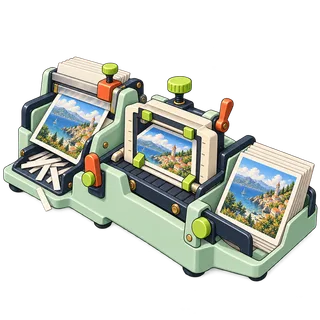
Workflow builder
03 / Your result is ready.
Export createdHow to build a reusable image workflow
- Choose up to 12 local images or the original product practice set. Add, reorder or remove stages.
- Preview each file and choose the final format, transparency and optional target. Save or import a settings-only recipe.
- Run the workflow, inspect every result and warning, then download files or a ZIP. Cancellation keeps completed files; retry unfinished files.
Know before you export
Stages run in order; changing their order changes the image. Up to six stages, 12 inputs and 60 MiB combined input. Each output stays within 24 megapixels and 8,192 pixels per side; color removal runs at up to 12 megapixels. Combined outputs are limited to 120 MiB. Targets are best effort and do not change dimensions. A saved recipe contains settings, including watermark text, but never image bytes.
Supported files
Still JPEG, PNG, WebP and AVIF up to 20 MiB and 64 megapixels, plus HEIC where your browser can open it (Safari on Mac, iPhone and iPad). Photos above 24 megapixels are edited at 24 megapixels, and color effects run at up to 12 megapixels. Multi-image tools allow 12 files and 60 MiB of combined input. GIF, SVG, animated images and RAW formats are not supported.
Quick ways in
Drop an image anywhere on this page or paste one from your clipboard.
Keyboard shortcuts
- Ctrl/⌘ O Choose an image
- Ctrl/⌘ Enter Process
- Ctrl/⌘ S Download the result
- Ctrl/⌘ Z Undo settings · add Shift to redo
- Esc Cancel processing
Your files stay local
Selected image bytes are processed in browser memory. No account, upload endpoint or remote processing service is used.
Keep creating.
Explore all 39 tools
A practical Workflow builder workflow.
Prepare a set of images with the same ordered edits and a single final encoding.
Try this example
Try the product set and choose Product squares to review trim → resize. The mug has transparent margins; the bottle has an opaque white canvas, so transparent-pixel trimming leaves it intact. To clear that white area, add background-color removal before Trim and carefully inspect pale foreground details. Export 800 × 800 WebP copies with transparency preserved.
Check before downloading
Preview every file. Check pale foreground details after color removal, subjects near the edge after cropping, the actual target result and any enlargement warning. A recipe is reusable settings, not an assurance that every image needs the same edits.
If the result is unexpected
Remove a stage that does not suit the set. Completed files survive cancellation; retry unfinished files without changing settings. If the browser cannot keep more output bytes, download existing results and process a smaller set.
Workflow builder is free to use in your browser. No account or image upload is required.
Workflow builder: common questions
Can I save a workflow without uploading my pictures?
Yes. Save the settings on your device or download a version 1 JSON recipe. It includes stage settings and any watermark text, but no image bytes. Review a recipe before sharing it, then import it to apply the same steps to another set.
What happens if a batch fails or I cancel it?
Completed outputs remain available. Each failed or unfinished file has its own status, and Retry unfinished files processes those files with the same settings. Changing the recipe clears previous results to avoid mixing settings.