 pixel
pixelAdd a sepia filter to a photo
Sepia gives photos the warm brown tone of early prints. The filter is preset to Sepia; reduce the strength for a subtle vintage tint.
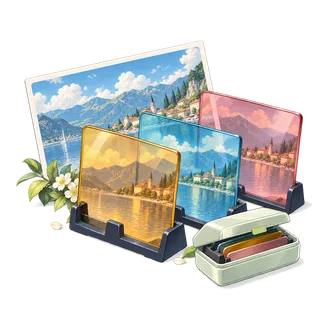
Filters
03 / Your result is ready.
Export createdHow to add a sepia filter to a photo
- Choose a photo, or try the sample.
- Sepia is already applied. Adjust Filter strength until the tone looks right.
- Process and download the vintage copy.
Know before you export
Still JPEG, PNG, WebP and AVIF inputs up to 64 megapixels are supported, and HEIC where the browser can decode it. Photos above 24 megapixels or 8,192 pixels per side are edited at that size. Color, filter and color-removal effects run at up to 12 megapixels; larger photos are scaled for the effect. All processing stays in your browser.
Supported files
Still JPEG, PNG, WebP and AVIF up to 20 MiB and 64 megapixels, plus HEIC where your browser can open it (Safari on Mac, iPhone and iPad). Photos above 24 megapixels are edited at 24 megapixels, and color effects run at up to 12 megapixels. Multi-image tools allow 12 files and 60 MiB of combined input. GIF, SVG, animated images and RAW formats are not supported.
Quick ways in
Drop an image anywhere on this page or paste one from your clipboard.
Keyboard shortcuts
- Ctrl/⌘ O Choose an image
- Ctrl/⌘ Enter Process
- Ctrl/⌘ S Download the result
- Ctrl/⌘ Z Undo settings · add Shift to redo
- Esc Cancel processing
Your files stay local
Selected image bytes are processed in browser memory. No account, upload endpoint or remote processing service is used.
Keep creating.
Explore all 26 tools



Sepia Filter is free to use in your browser. No account or image upload is required.
Sepia Filter: common questions
What is a sepia photo?
Sepia is a warm brown monochrome tone that originally came from a chemical used to make photographic prints last longer. Today it is a quick way to give pictures a vintage feel.
Can I combine sepia with other adjustments?
Yes. Download the sepia result and select Keep editing this result, or use the photo editor to combine a filter with brightness, contrast and a watermark.