 pixel
Inspect image information and metadata
Inspect dimensions, bytes, transparency and available EXIF, software, camera, date and GPS-presence fields locally. Download a JSON report.

Image information
03 / Your result is ready.
Export createdHow to inspect image information and metadata
- Choose a still JPEG, PNG or WebP image.
- Select Inspect image to read supported image and metadata fields locally.
- Review the report and download JSON if needed. Use Remove metadata to create a re-encoded copy.
Know before you export
This is a basic inspector, not a forensic metadata reader. It reports supported JPEG, PNG and WebP metadata fields; embedded profiles, maker notes and every proprietary field are not parsed. A GPS-presence flag does not display coordinates.
Supported files
Still JPEG, PNG, WebP and AVIF up to 20 MiB and 64 megapixels, plus HEIC where your browser can open it (Safari on Mac, iPhone and iPad). Photos above 24 megapixels are edited at 24 megapixels, and color effects run at up to 12 megapixels. Multi-image tools allow 12 files and 60 MiB of combined input. GIF, SVG, animated images and RAW formats are not supported.
Quick ways in
Drop an image anywhere on this page or paste one from your clipboard.
Keyboard shortcuts
- Ctrl/⌘ O Choose an image
- Ctrl/⌘ Enter Process
- Ctrl/⌘ S Download the result
- Ctrl/⌘ Z Undo settings · add Shift to redo
- Esc Cancel processing
Your files stay local
Selected image bytes are processed in browser memory. No account, upload endpoint or remote processing service is used.
Keep creating.
Explore all 39 tools


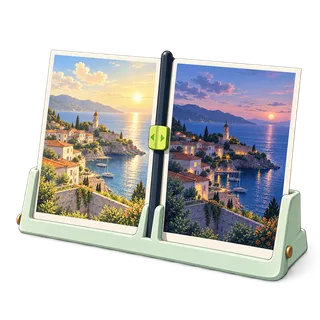


A practical Image information workflow.
Inspect basic file properties and supported EXIF fields before sharing.
Try this example
Open a local photo and review format, dimensions, bytes and the available camera fields. The GPS indicator reports detected presence without displaying location coordinates.
Check before downloading
The viewer does not parse every maker note, proprietary field or metadata container. A blank field is not proof that the original contains no sensitive information.
If the result is unexpected
If you need a re-encoded sharing copy, use Remove metadata and inspect the new export. Base64 preserves the original bytes, so it is not a metadata-removal step.
Image information is free to use in your browser. No account or image upload is required.
Image information: common questions
Which metadata can I inspect?
PixelDesk reports dimensions, bytes, transparency and supported software, camera, date and EXIF fields for JPEG, PNG and WebP. It is a basic inspector and does not parse every proprietary field or maker note.
Does the tool display GPS coordinates?
It reports GPS presence when supported metadata is detected, without displaying coordinates. An absent flag is not a guarantee that every possible location field was parsed.